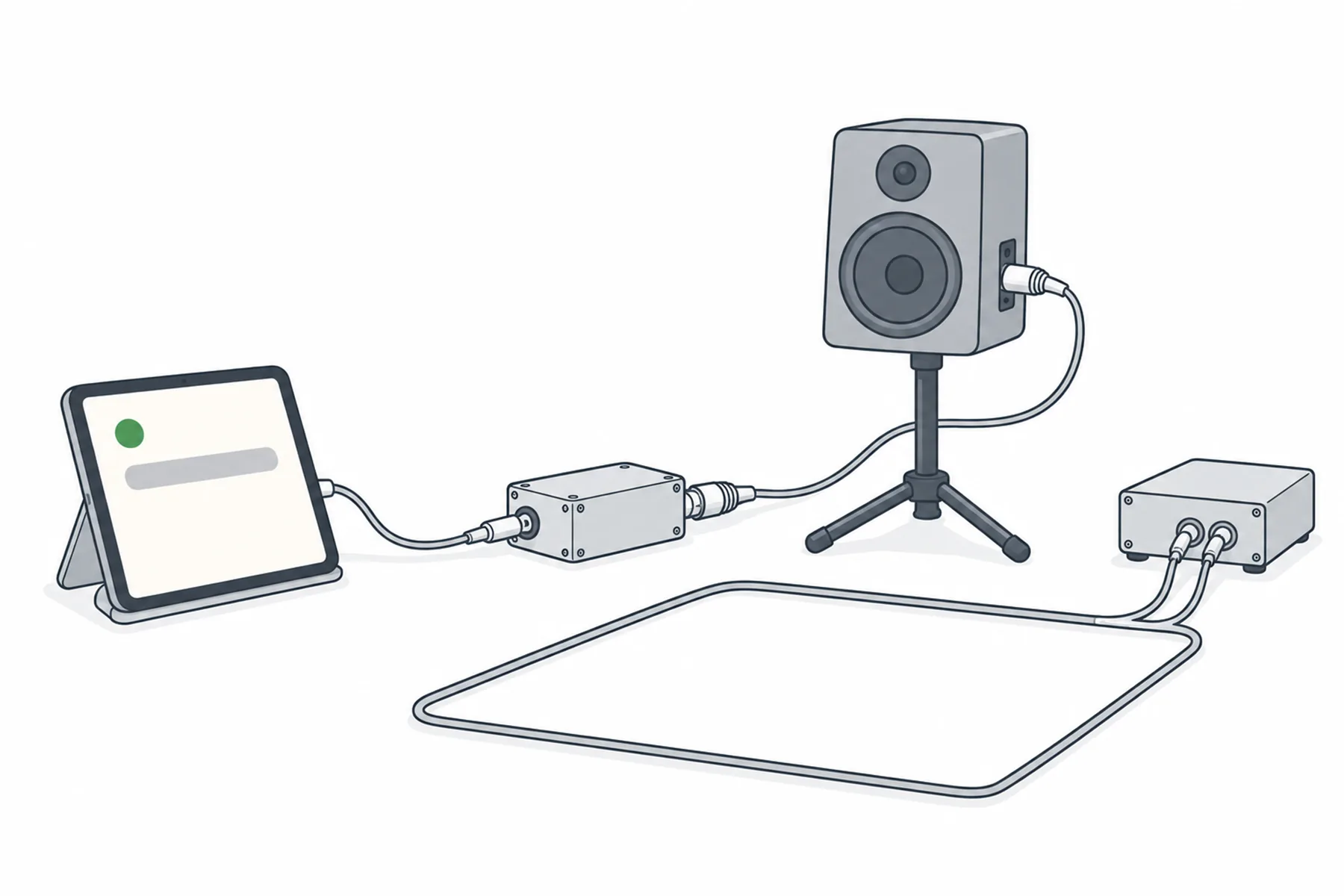
The spoken translation can be played into the loudspeakers of a public address (PA) system or into a hearing loop (induction loop), using a device that plays one language into a compatible line input. It suits a room or zone where everyone needs the same language. This guide covers when it is the right choice, how to connect it, and how to keep the translation from feeding back into SpanVoice.
A PA zone or a loop plays one thing to everyone in it. The translation is one language at a time from one player, so the question to answer first is who in the zone needs it.
Speakeroriginal language
SpanVoicespoken translation
Playerto a line input
PA zone or loop
Keep the player out of the send that goes back to SpanVoice.
Feed the PA or loop in six steps
Most of the care is in who needs it and in keeping it out of the send.
1
Decide whether the room can take it
A PA or a hearing loop carries one programme for everyone in its zone. That suits a room or zone where everyone needs the same translated language, such as a separate room for one language group, an overflow room, or a loop in a room where the people using it have agreed to take the translation.
In a room where the speaker is also heard live, the translated voice arrives a little after the original and the two overlap. For a mixed room, phones with earphones or a headphone system are the better answer. A hearing loop is usually reserved for the original language, so ask the people who rely on it, and whoever looks after it, before you put anything else on it.
A hearing loop (induction loop) serves compatible hearing devices with a telecoil enabled, or dedicated loop receivers. It does not play audibly to the room the way PA loudspeakers do. This guide covers feeding an existing, commissioned loop. It does not cover installing or adjusting the loop itself, and separate loops do not automatically give isolated language zones, because their coverage and interaction need checking by the installer.
SpanVoicespoken translation
Player deviceone language
Spare inputor the loop amplifier
PA or loopone programme
One player, one language, one programme into the zone.
2
Set up a player for the language
The source is the same as for a headphone system: a device that plays one language of the spoken translation. Use the venue’s Audio link, spanvoice.com/a/<venue code>/<language code>, from the venue’s Overview page under For your team or from Links & QR in the desk app, played in a media player such as VLC.
Spoken translation must be on for the venue, under Settings then Spoken translation. Plug the device in, turn on do-not-disturb and set the screen to stay on. The headphone system guide covers the device in more detail.
3
Connect it to a line input
Connect the player to a compatible line input, using the appropriate lead: a spare line input on the desk or processor that feeds the PA, or the line input on the loop amplifier. Match signal levels as well as connectors. A player’s headphone output is a line-level source, and plugging it into a microphone input will usually overload it.
If you use a DI box, connect its output to the input type its manufacturer specifies. Many DIs give a microphone-level output, which belongs on a microphone input, so the DI’s output level and the input it feeds must agree. A suitable isolating DI can also help with ground-loop hum.
Do not directly join the left and right outputs of a stereo player. Use a suitable stereo-to-mono summing device or cable, or a correctly wired connection from one output channel when the player provides mono audio. Selecting mono on the player changes the audio, not the electrical connection.
The headphone system guide goes through each input type and its lead. For a hearing loop, ask whoever installed or maintains the loop amplifier before connecting anything to it.
4
Keep the translation out of the feed to SpanVoice
This is the step that is easiest to miss. SpanVoice translates what it hears. If the translated voice reaches the send that feeds the desk app, whether from the desk or from a microphone that hears the PA loudspeakers, it will be heard as speech and spoils the result. With one spoken language the extra voice may be left untranslated, but it still disturbs what is translated. With the desk app set to a pair of languages, either as spoken, its words are translated as they arrive and stray words come out in the wrong language.
On the desk, check that the player’s channel is not assigned to the SpanVoice send. Keep the speech microphones away from the loudspeakers, and check that nothing the zone plays can reach them. The mixer guide covers building a speech-only send.
5
Set the level from where the audience sits
Start with the receiving input turned down. Set the player to a clean output level, then raise the receiving input gradually while checking for overload or distortion. Then walk to the seats. The translation should sit comfortably above the room without distorting, and there should be no ringing or howl when the speaker’s microphone is open.
For a loop, ask the loop maintainer to check the new input without disturbing the system’s commissioned settings. Loop performance involves measured field strength and coverage, not only amplifier volume, so confirm listening quality with a loop receiver and with the people who use the system, and do not judge it from your own ears.
6
Rehearse with the speaker microphone live
Start a short session, say a sentence into the real microphone, and listen from the audience position. Check that the translation arrives with a delay that is acceptable for your event, that nothing howls, and that the translation does not appear in the captions or the transcript. No howl does not prove the routing is right, because the delayed translation can still be picked up and translated again. Confirm that the player’s channel is excluded from the send to SpanVoice. Then stop the session and start it again, because whether the player resumes by itself depends on the device and the player.
A separate room, overflow room or zone where everyone needs the same language
It overlaps the live speaker where both are heard. Keep it out of the send to SpanVoice.
Hearing loop
People using hearing devices with a telecoil, or loop receivers, who agree to take the translation
One programme for the whole loop, usually reserved for the original language. Ask the installer.
If something is wrong
Check the player, then the input, then the send.
Nothing comes out
Check in order: a session is live and someone is speaking; the player is playing the audio link and its volume is up; the lead and its level match the input (a line source into a line input, or a DI whose output matches the input it feeds); the channel or zone is unmuted and routed to the loudspeakers or the loop.
Howl or ringing
The microphone is hearing the loudspeakers. Lower the zone level, move the microphone away, or keep the translation out of the zone the speaker is in.
The captions repeat or contain the translation
The translated voice is reaching the feed to SpanVoice. Check that the player’s channel is not in the SpanVoice send, and that no open microphone hears the loudspeakers.
The translation overlaps the speaker
The translation arrives after the original. In a room where both are heard, use earphones or a headphone system instead, or use the PA only in a separate zone.
Hum or distortion
Check the input type and level first, then the gain. A suitable isolating DI, or a ground lift, can help with hum from a ground loop.
The loop is too quiet or silent
Ask whoever maintains the loop. The loop amplifier, the loop itself and the hearing device’s own setting decide what is received, and that is not something SpanVoice can set.
It stopped after a while
Check the player first: its screen lock, its power saving, its connection. Test background playback on that device before the day.
Still unsure
Questions about PA and loops
Tell us the room, the PA and who needs the translation, and we will tell you what to connect.
Each language needs its own player and its own input, and each input needs its own zone or loop, because a zone plays one programme. Phones can offer any number of languages in the same room.
Is the translation delayed?
Yes. The translation arrives after the sentence, with a delay that varies, so it overlaps the live speaker wherever both can be heard.
Does it cost more to feed a PA than to use phones?
Spoken translation is charged per minute for each language being listened to, not per listener, so sending a language to a PA zone adds no per-person charge. Captions are charged separately, by the hour for each language.
Can I put the translation on a hearing loop?
Technically yes, through the loop amplifier’s line input, but a loop carries one programme for the whole room and is usually reserved for the original language. It reaches hearing devices with a telecoil, or loop receivers, not everyone in the room. Ask the people who use it and whoever looks after it first, and leave the loop’s commissioned settings to them.
Why must the player stay out of the SpanVoice send?
SpanVoice translates whatever it hears. If the translated voice reaches the feed, it spoils the result. With one spoken language it may be left untranslated but still disturbs the captions. With a pair of languages, its words are translated as they arrive and come out in the wrong language.
Do I need a DI box?
Not always. A DI can help match the player to a balanced input and a suitable isolating one can help with ground-loop hum, but many DIs output microphone level, so connect it to the input type its manufacturer specifies. The headphone system guide covers the input types.
Where to go next
Use your free credit to test the feed.
The free credit lets you try the setup with your own PA. No credit card needed.