Live translation and captions — run from Australia, Europe and the United States
SpanVoice Try it free

On your live stream

Captions over your live stream.

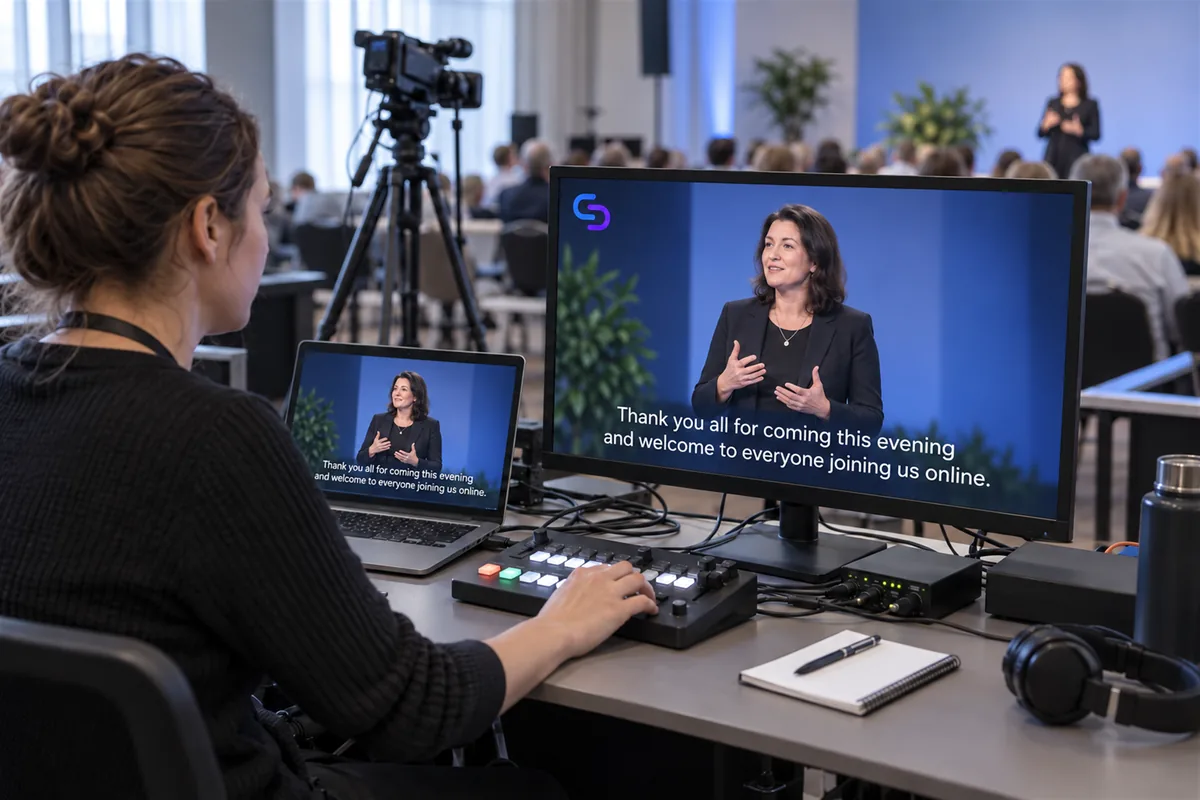
Add the caption band to your stream as a browser source, over the camera, and the people watching online follow the same session as the room. The band is yours to place: top or bottom, one line or four.

A seated operator runs an event live stream while the monitor and laptop show the speaker with two lines of white captions over the picture.
Works as a browser source in OBS Studio, vMix, Streamlabs Desktop, Wirecast, XSplit Broadcaster, ProPresenter, Ecamm Live, mimoLive and many others.

Adding the band to your stream

The band is a web page the size of a 1920×1080 frame, with a transparent background. Add it to OBS, vMix or whichever encoder you stream from as a browser source, and place it above the camera. That is the whole setup.

For a vision mixer or a hardware keyer that cannot take a browser source, give the band a green background and key it out the way you would any other graphic.

The band carries one language, chosen when you set it up, and it follows the same session as the room. Whoever is watching the stream reads what the room is reading.

What you can set

Four settings, so the band fits the picture you already have.

  • Lines

    One to four lines of text. Two is the usual television look; one keeps the band small over a busy picture.

  • Text size

    Set the size to suit where the stream is watched. Larger for a phone screen, smaller when the picture is full of detail.

  • Where it sits

    Bottom, top or middle of the frame, with the width and the margin from the edge under your control.

  • Background

    Transparent over the camera, green for a keyer, or black when the band runs on its own over a still picture.

Where the bar sits

By default it sits in the lower third, lifted off the bottom edge so it clears the player controls and the name straps you already use. If the lower third is taken, move the band to the top of the frame and it reads the same way.

The text is white, one colour, with nothing in it to fight the picture. When the speaker pauses, the band fades away, so a quiet moment shows your picture and not an empty box.

Joining halfway through

Someone who opens the stream twenty minutes in sees the lines on the band at that moment and follows from there, the same as they would with the picture. There is nothing to catch up on and nothing to scroll back through; the band is live.

A viewer who wants a language other than the one on the band opens the listening link on a phone beside the stream. It is the same session, so the two keep pace with each other.

Before your event

A few good questions.

Running the stream and the room? We can help you work out what you need.

Talk to us

Which streaming software does it work with?

Anything that can show a browser source: OBS Studio, vMix, Streamlabs Desktop, Wirecast, XSplit Broadcaster, ProPresenter, Ecamm Live, mimoLive and many others. A vision mixer or keyer without a browser source takes the band on a green background and keys it.

Can viewers pick their own language inside the band?

No. The band carries one language. A viewer who wants another opens the listening link on a phone, which follows the same session.

Does it delay my stream?

No. The band sits over the video and does not hold it up. Your encoder sends the picture exactly as it did before.

Is there an extra charge for the band?

No. There is no charge for the band itself.

Put it over your own stream.

Add the band as a browser source, start a session, and watch the captions land over your picture.

A$10 of free credit when you sign up, no credit card needed. Credit never expires — use it this week or next year.