We have four rooms running at once. Is that four accounts?
No. One account holds as many venues as you have rooms. Each room has its own
link and its own feed from its own desk, and the bill is the hours each one ran.
Conferences and AGMs
Delegates arrive late, step out for a call, and move between rooms. Each one opens the listening link, picks a language and follows whichever session they are sitting in, from the opening keynote to the last breakout and the AGM at the end of the day.
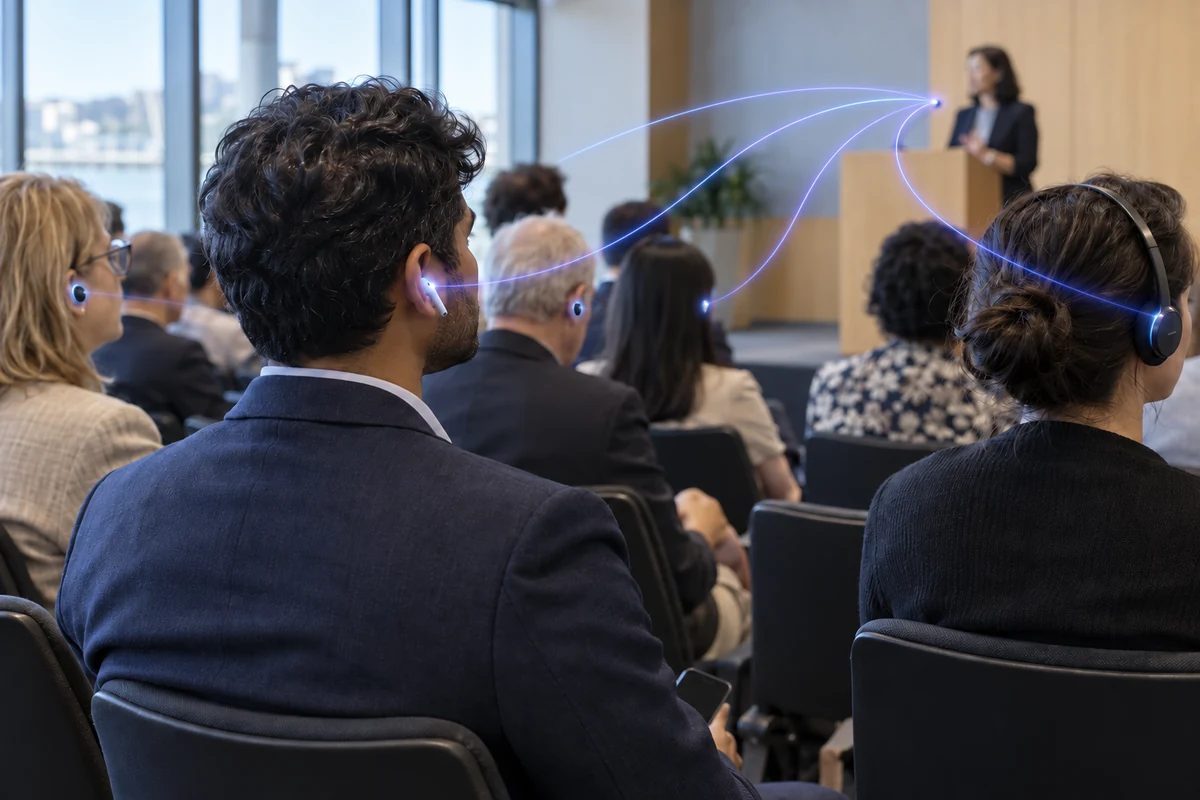
The listening link is in the registration email, on the lanyard card and on the screen at the front. A delegate opens it on the way in, picks a language, and the keynote is already running when they sit down. When they move to a breakout, they open the room link posted at that door. When they leave for twenty minutes, they put the phone away; when they come back, it is where they left it.
The AGM at the end of the day runs the same way. Motions, the chair’s remarks and questions from the floor are captioned as they are spoken into the room microphone, and a member who reads better than they listen follows every word.
The sessions an organiser has to cover, and what the translation does at each.
One speaker, the whole hall, every delegate reading in the language they registered with. The room screen carries the language most of the hall needs.
Each room is its own venue with its own link. Four rooms at once, each billed for its own hours and the languages its delegates picked. How to set up two rooms at once.
Reports, motions, the chair’s remarks and questions from the floor, captioned as they are said into the room microphone, with a transcript after.
Set the spoken language to any and let the panel hand over between languages. The delegate reading Portuguese reads the whole exchange in Portuguese.
Visitors who came for the product follow the presentation from the stand, from a QR on the banner, without a receiver from the organiser.
The caption band over the broadcast in the language you choose, with the listening link on screen for the viewer who wants another.
How it is done
The venue technician does the first.
The programme does the rest.
Add a venue for each room, start each from its own mixer feed, and read the first line on a phone at the back.
The registration email, the lanyard card and the screen in each room. The same link serves every session in that room.
Start the keynote, stop for lunch, start the afternoon. The bill is the hours each room ran, in the languages its delegates used.
A venue with a sound desk, more than one room, and a programme that changes on the day.
Each room is a venue in your account, with its own desk feed, its own link and its own settings. A plenary and three breakouts are four venues, started and stopped on their own programme.
The registration email, the printed programme or lanyard card, and the screen at the front of each room. A delegate should never have to ask.
Speaker names, session titles, your organisation’s acronyms and the names of your sponsors, entered once in each venue’s glossary so they are spelt the same in every language.
The caption band goes over the video for the members watching from home, in the one language you choose for the broadcast.
A panel of four may speak three languages between them. Set the session’s spoken language to any language and whatever comes through the room microphones is recognised as it was spoken and translated into the language each delegate chose, so the moderator can hand from one panellist to the next without touching anything at the desk. The delegate reading in Portuguese reads the whole exchange in Portuguese.
Questions from the floor work the same way, as long as the question is asked into a microphone. One shouted from the back of the hall is not captioned, which is one more reason to pass the roving microphone.
Why SpanVoice
Usually an annual hour bank bought in advance, or a per-session fee with add-ons.
The hours each room runs, per language, after the event. No bank to size beforehand.
Often valid twelve months; what is left when they lapse is gone.
Credit never expires. The next conference uses what this one left.
Often a base set, with a charge per extra language per session or per channel.
Any of the sixty, charged only for the ones delegates actually opened.
Often plans sized by attendee count: up to fifty, up to five hundred.
Fifty or five thousand, the same price. Nothing per delegate.
Often each room is another licence or another session fee.
As many venues as you have rooms, in one account, each billed for its own hours.
Usually a sales call and a quote before you see it work.
Sign up, run a rehearsal in the real room, read it on your own phone. Then decide.
Usually a web page the venue technician has never seen.
A Windows desk app that takes the mixer feed, built by people who run event sound desks, and a browser page for the room without one.
Rarely stated.
Servers in Australia, Europe and the United States, close to the hall.
Compare it yourself: price the whole programme with any service you like.
If you find a similar service for less, tell us and we will look into it.
Worked out the way an events manager would, before asking for a quote on headsets. Captions are A$1.05 per hour, per language, at today’s rate in AUD. A language is only charged while somebody is listening in it.
Plenary and breakouts, nine to five. 8 hours, 2 languages — A$16.80.
Both days, one room, three languages running. 16 hours, 3 languages — A$50.40.
Two rooms for both days, three languages each: the room-hours add up. 32 hours, 3 languages — A$100.80.
Reports, motions and questions, one language. 3 hours, 1 language — A$3.15.
A two-hour evening with a mixed membership. 2 hours, 4 languages — A$8.40.
Before the programme is printed
More than one room, a stream, or a venue with its own AV company? Tell us the plan.
Talk to usStart one room from the desk feed, put the link on the screen, and read along from the back.
A$10 of free credit when you sign up, no credit card needed. Credit never expires — use it this week or next year.